 EZVIZ no longer supports Internet Explorer or earlier versions, and the site may not behave as expected. Please upgrade to a newer browser.

Quick Answer: What is smart home access control?
Smart home access control is a connected residential security system that replaces traditional mechanical keys with digital authentication methods—including fingerprint scanning, touch-pad PIN codes, contactless RFID cards, and smartphone management. Driven primarily by advanced smart door locks, it enables homeowners to automate daily entry, issue scheduled guest credentials, and monitor real-time entryway activity via a single app.
For most homeowners, modern front door security is transitioning away from physical metal keys. Managing household entry can now be as effortless as scanning a fingerprint on the door handle, entering a temporary passcode, or tapping a button on your smartphone screen. Beyond daily convenience, an integrated keyless entry system provides comprehensive visibility into who enters and leaves your home.
Residential access control brings together keyless hardware with mobile management software. Unlike a standalone deadbolt, a modern system connects your physical entry points with cloud-enabled notifications and automation profiles.
With popular models like the EZVIZ DL05, DL06, and DL06 Pro, keyless entry is reinforced by multi-layered protection:
• Multi-User Credential Capacity: Register up to 50 unique fingerprints and customized numerical PINs for family members and regular visitors (subject to specific model capabilities).
• Fast On-Handle Recognition: Ergonomically positioned sensors allow natural one-motion unlocking as you grip the handle.
• Incorrect-Entry Lockout Protection: Repeated incorrect entry attempts can trigger a temporary lockout to help deter unauthorized access. Compatible models also support real-time notifications for relevant security events.
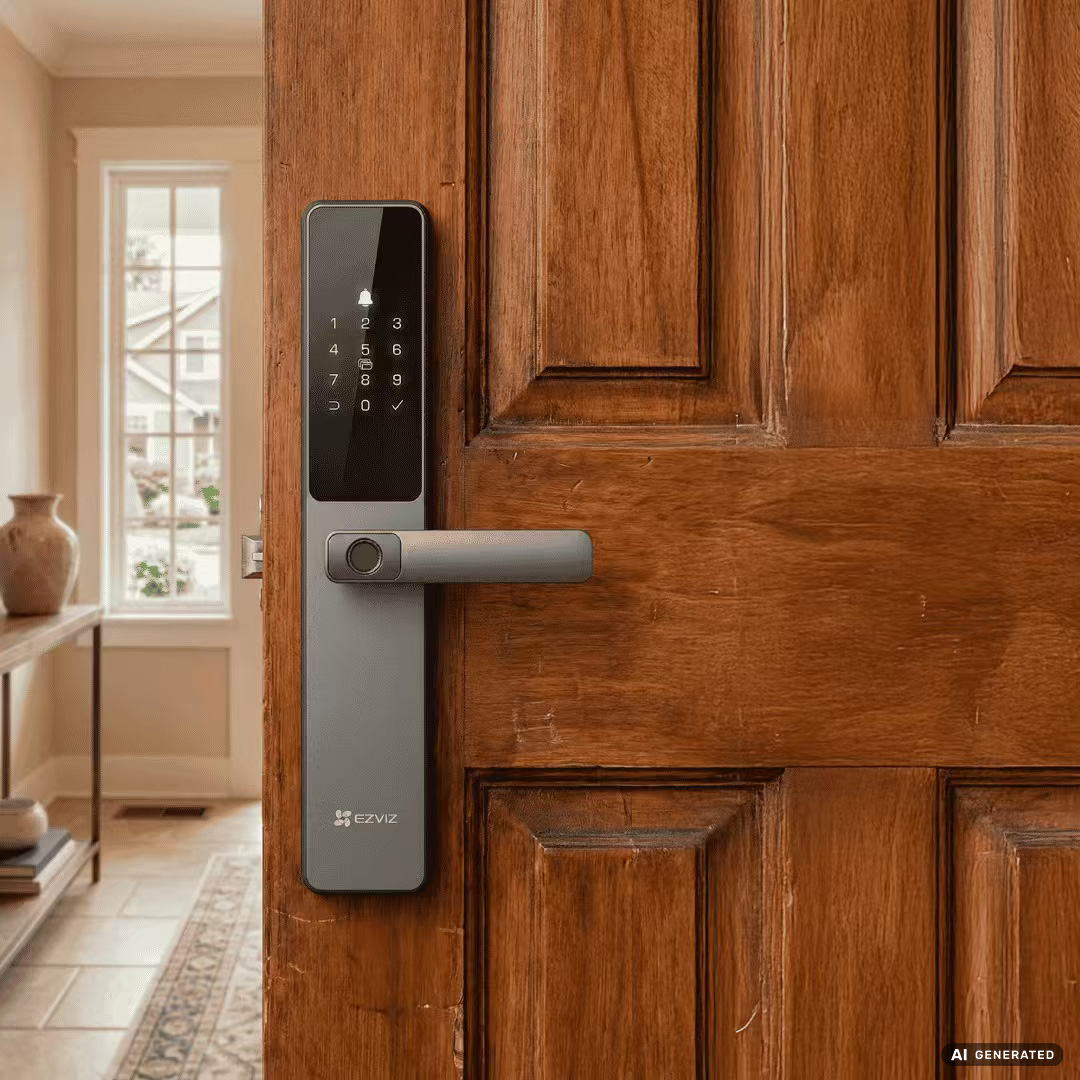
Versatility is essential for multi-generational homes. Smart home access systems support multiple entry channels tailored to children, seniors, and temporary guests alike:
• Fingerprint Access: The most intuitive everyday method. For a deeper breakdown of sensor types, explore our guide to fingerprint smart locks.
• Anti-Peep Keypad PINs: Compatible models support up to 50 passcodes, with temporary access codes and anti-peeping code entry available according to model specifications.
• Contactless Proximity Cards: Proximity cards (included with DL05/DL06 packages, subject to market availability) offer simple tap-and-enter access for family members who prefer not to use smartphones.
• EZVIZ Mobile App Control: Depending on the model and connection setup, access compatible locks remotely, receive low-battery and security alerts, and manage user credentials through the EZVIZ app.
• Touch-Free Palm-Vein Recognition: Advanced models like the EZVIZ Y3000 FVP Plus combine contactless palm-vein recognition with a built-in video door viewer featuring live viewing and two-way video calling.
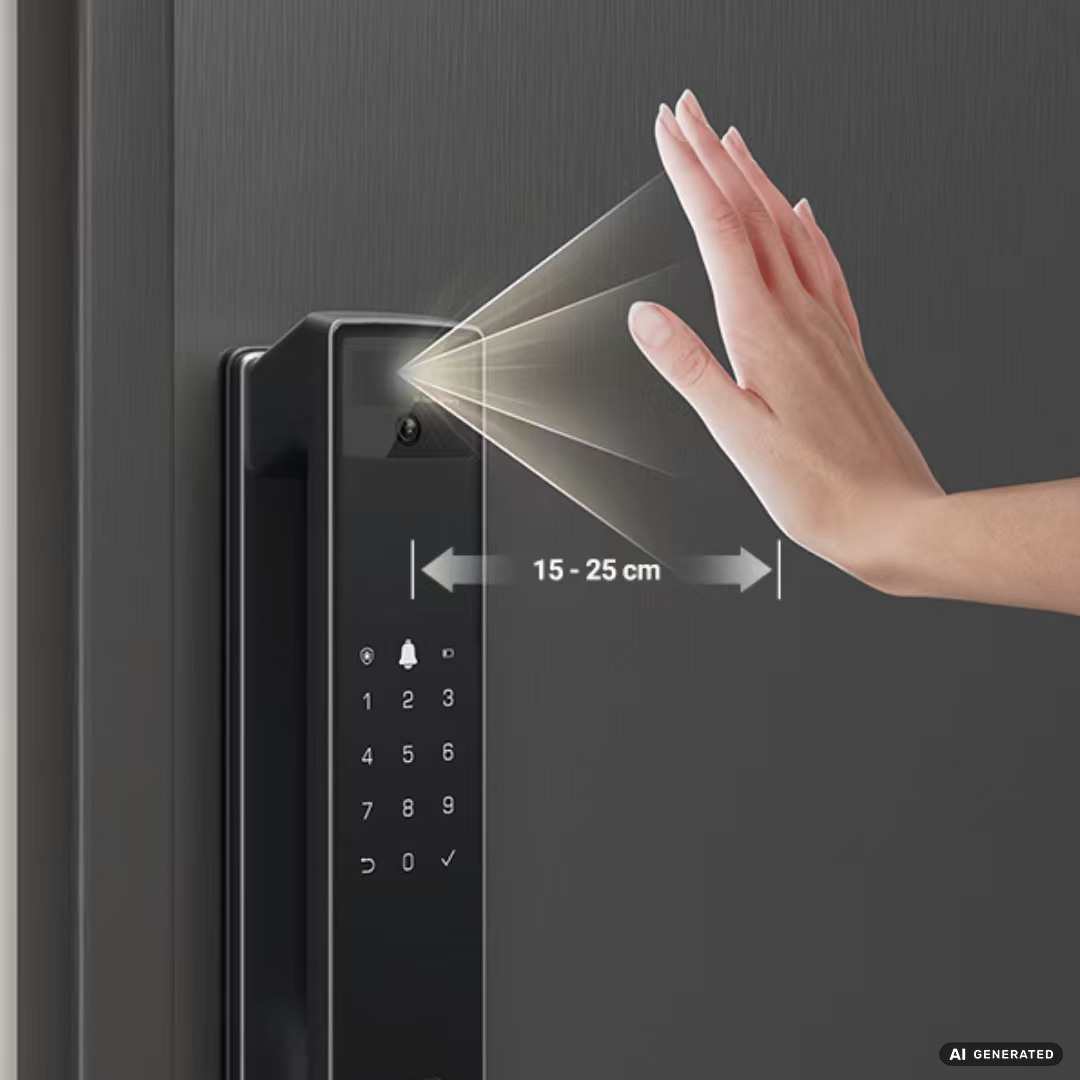
If you're evaluating a traditional mechanical lock vs. smart lock comparison, the real-world advantages extend far beyond eliminating heavy keychains:
• Fewer Key-Related Hassles: Reduce reliance on physical keys and make everyday entry more convenient for family members.
• Managed Temporary Access: Issue time-limited digital codes for trusted guests, home cleaners, babysitters, or maintenance crews without making spare keys.
• Full Entry History Auditing: View a detailed access log on your smartphone to confirm when family members arrive safely.
Selecting the best smart lock depends on your existing entryway structure and security preferences. Make sure to review our step-by-step smart lock installation guide before making a selection:
• Door Structure & Mortise Compatibility: Confirm standard backset measurements, door thickness (typically 35–55 mm), and mortise dimensions prior to installation.
• Emergency Power Options: Check whether the selected model supports Type-C emergency charging and has a mechanical backup key for emergency access.
• Ecosystem Integration: Selected EZVIZ smart locks can work with compatible EZVIZ cameras to trigger automatic recording when a door-opening event occurs. Check the supported camera list and model-specific requirements before setup.
Yes. Through the EZVIZ app, compatible models allow you to generate customized passcodes with validity periods supported by the selected model.
Compatible EZVIZ smart locks provide low-battery warnings. If power runs low or the battery is depleted, follow the selected model's instructions for emergency charging or use its mechanical backup key, where supported.
Smart locks offer additional access-management and security features compared with many traditional locks. However, overall security depends on the specific model, correct installation, account protection, firmware updates, battery maintenance, and proper use.
Yes. Selected EZVIZ smart locks can integrate with compatible EZVIZ cameras to trigger recording when a door-opening event occurs. Available integrations and automation options depend on the specific devices and their configuration.


 Store
Store