 EZVIZ no longer supports Internet Explorer or earlier versions, and the site may not behave as expected. Please upgrade to a newer browser.

Smart home access control is a system that allows you to manage entry to your home without relying solely on traditional physical keys. It combines smart locks, fingerprint-based access, PIN codes, proximity cards, and smartphone-based access to make everyday entry more convenient and secure.
For most residential applications, a smart lock is the main component of this type of access system, offering a practical, modern solution to organize your daily entry routine.
Managing who enters and leaves your house can now be as effortless as scanning a fingerprint, entering a PIN code, or using a smartphone app. Beyond mere convenience, it provides greater visibility into door activity right at your front door.
Residential access control brings together keyless entry technologies, pairing advanced smart locks with versatile mobile management options on your phone.
With systems like the EZVIZ DL05, DL06, and DL06 Pro smart locks, keyless entry translates into multiple unlocking options within a connected access system that supports user management and real-time notifications.
According to the specifications for the EZVIZ DL05 and DL06 models, these locks support:
• Up to 50 unique fingerprints for registered users.
• Convenient fingerprint-based access, subject to model specifications.
• Depending on the model, repeated failed attempts (such as five failed attempts within five minutes on the DL06) may trigger a temporary lockout to deter unauthorized access.
These features can support more convenient and organized access management during daily use.
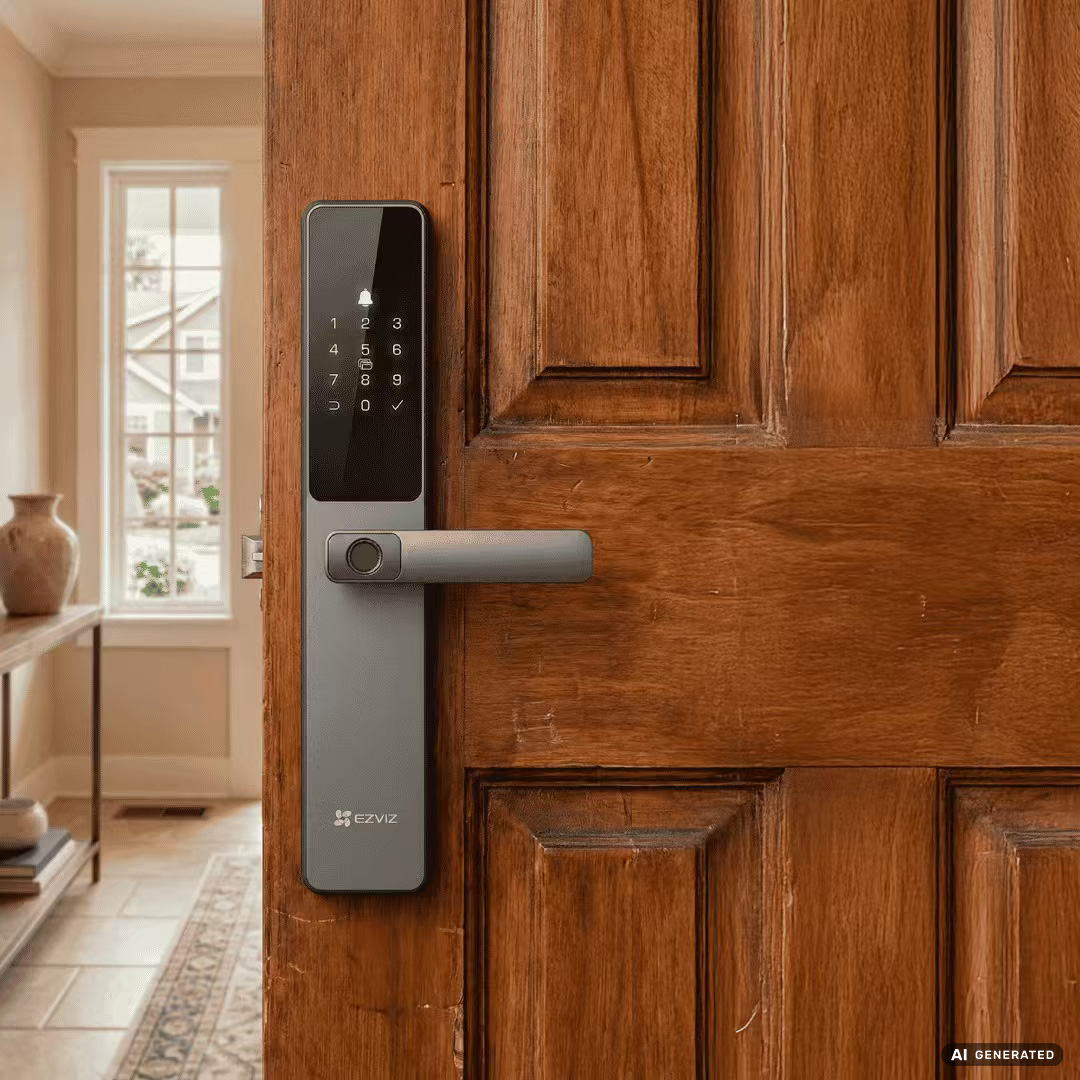
Smart locks can support several entry methods, so different members of a household can choose the option that works best for them.
• Fingerprint Access: An intuitive entry method for everyday life. On the DL05 and DL06, the fingerprint sensor is integrated into the handle for convenient keyless entry.
• Keypad PIN Codes: Compatible models can support up to 50 custom passcodes. You can also create temporary access codes for guests, cleaning staff, or other short-term visitors.
• RFID Proximity Cards: Both models support RFID proximity cards (included with DL05 and DL06 units, subject to market variation), providing another convenient option for family members who prefer not to use fingerprints or smartphones.
• Remote Mobile App Control: Depending on the model and connection method, the EZVIZ app may support Bluetooth access, remote unlocking, lock-status checks, user management, and notifications.
• Advanced Biometrics: Premium models such as the EZVIZ Y3000 FVP Plus combine facial recognition and palm-vein scanning with remote unlocking and real-time activity alerts.
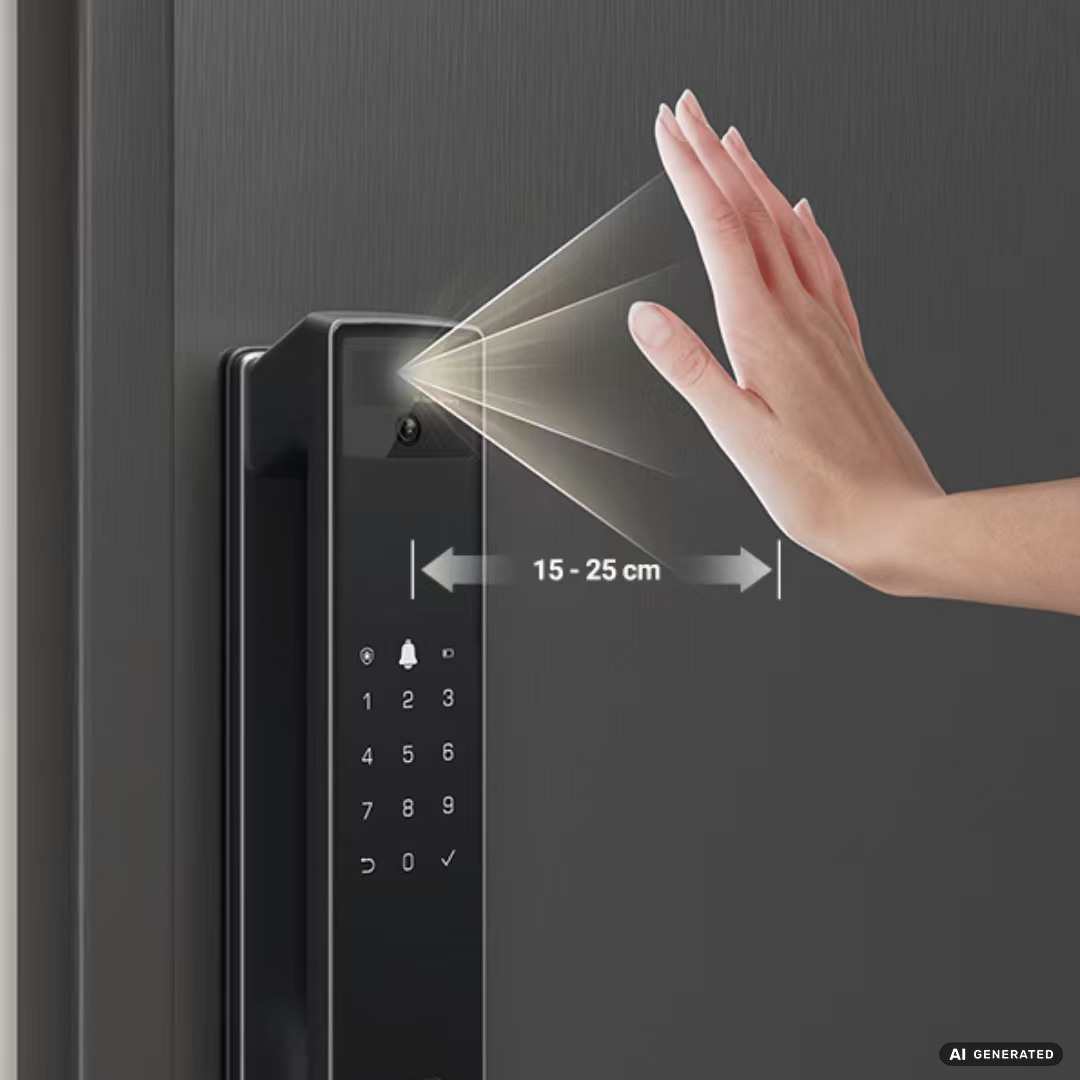
For everyday use, smart access control can make entering the home easier and reduce the need to carry or share physical keys.
You can manage access remotely, assign different unlocking methods, and create temporary access for specific users.
This makes keyless locks particularly helpful for older adults who might misplace keys, as well as homes that rely on temporary contractors, cleaners, or caregivers.
Smart home access control is not a one-size-fits-all product. Once you understand the available access methods, the next step is choosing a lock that matches your door type and security needs:
• Door Type: Compatibility depends on the door structure, lock body, door thickness, and installation requirements. Before purchasing, check the official EZVIZ specifications or consult an authorized installer to confirm compatibility.
• User Capacity: Models with support for up to 50 fingerprints or passcodes can accommodate multiple household members and regular visitors.
• Security Features: Depending on the model, features may include local fingerprint processing, failed-attempt lockouts, tamper alerts, and remote notifications.
• App Integration: The EZVIZ app allows compatible locks to work with supported EZVIZ cameras and other compatible devices.
A smart lock can also be a practical starting point for a connected home. You can expand your smart home setup by connecting compatible EZVIZ cameras and other supported devices through the EZVIZ app.
Even as a standalone device, a smart lock elevates daily living—turning routine door unlocking into a more flexible and convenient entry experience.
Many EZVIZ smart lock models support temporary access codes. Availability and settings may vary by model and app version, so please check the applicable product specifications.
You may have multiple backup options available, depending on the specific model. These can include fingerprint scanning, RFID proximity cards, or a mechanical key backup. Store the emergency key in a secure location, or leave it with a trusted person rather than keeping it in an exposed outdoor location.
Smart locks can provide more flexible access management than traditional keys by supporting multiple credentials, user management, and lockout features. However, overall security depends on the specific model, correct installation, account protection, firmware updates, battery maintenance, and proper use.


 Store
Store