 EZVIZ no longer supports Internet Explorer or earlier versions, and the site may not behave as expected. Please upgrade to a newer browser.

Arriving home with your hands full of groceries often means fumbling for your keys before you can even open the door. It is a small daily hassle that almost everyone has experienced. However, biometric technology is making these moments a thing of the past.
A fingerprint smart lock makes everyday entry quicker and more convenient. It combines biometric authentication with smart home features to provide secure, keyless entry while giving you complete control over who enters your property.
These locks use advanced sensors to identify the highly distinctive patterns of your finger. The process is fast and built for security:
1. Authorized fingerprints are enrolled into the lock’s internal system.
2. Fingerprint data is stored securely on the lock according to the product's security design.
3. When you touch the scanner, the sensor compares your print against stored profiles.
4. Upon a match, the electronic lock opens instantly.
On models like the EZVIZ DL05, biometric access is a flexible option paired with backup methods—including passcodes, RFID cards, and mechanical keys.
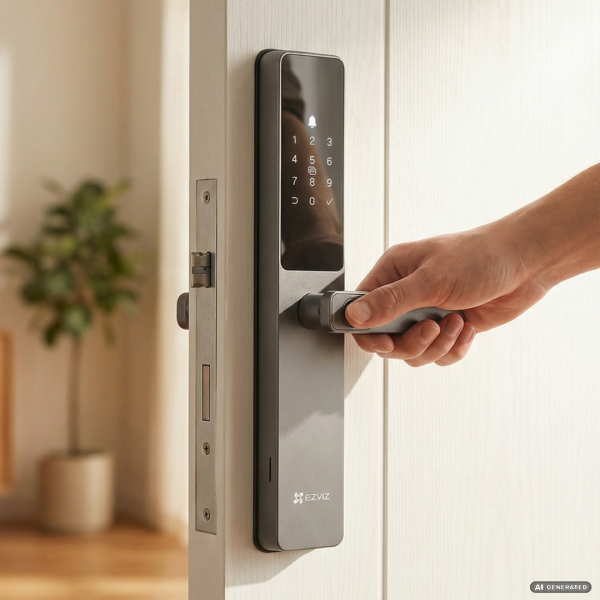
Fingerprint smart locks make keyless entry a seamless part of your everyday life. The primary advantage is personal security; a fingerprint is much harder to copy or share than a traditional physical key, adding a robust layer of protection to your front door.
In addition to security, these systems provide excellent management through your smartphone app. Homeowners can add or remove authorized users in seconds and review activity history to see exactly who entered the home and when. You can also issue temporary passcodes for guests or service providers, giving you total awareness of your property.
Both the EZVIZ DL05 and DL06 provide core smart lock features, but choosing the right one depends mainly on your door's structure and material:
• DL05: Best for standard wooden or reinforced security doors.
• DL06: Engineered specifically for slim frames, such as aluminum or PVC doors.
• DL06 Pro: Ideal for iron gates or glass entrances, featuring a dual-sided fingerprint scanner for verification when entering and exiting.
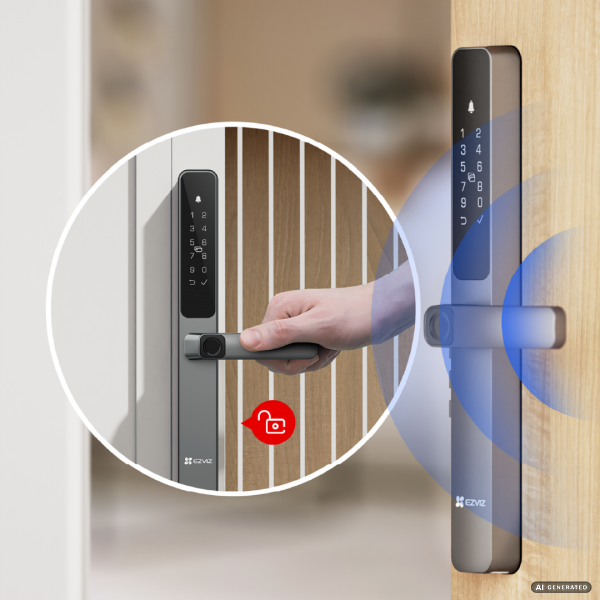
Whether you are managing a busy household or a vacation rental, fingerprint smart locks simplify home access. Pairing a smart lock with security cameras and doorbells within the EZVIZ platform helps you protect what matters most with a single, integrated system.
If your finger or the sensor is wet, simply wipe them dry. For cases where fingerprints are temporarily hard to read, you can always use a PIN code, RFID card, or the mobile app as a backup.
Fingerprints are unique biometric traits that cannot be shared or guessed like a passcode. While PINs are convenient for guests, biometric entry adds a personal layer of safety that is much harder to bypass.


 Store
Store