EZVIZ Outdoor Security Camera UK Setup Guide: Wi-Fi Pairing, Wall Mounting & ICO Compliance (2026)
Quick Summary:
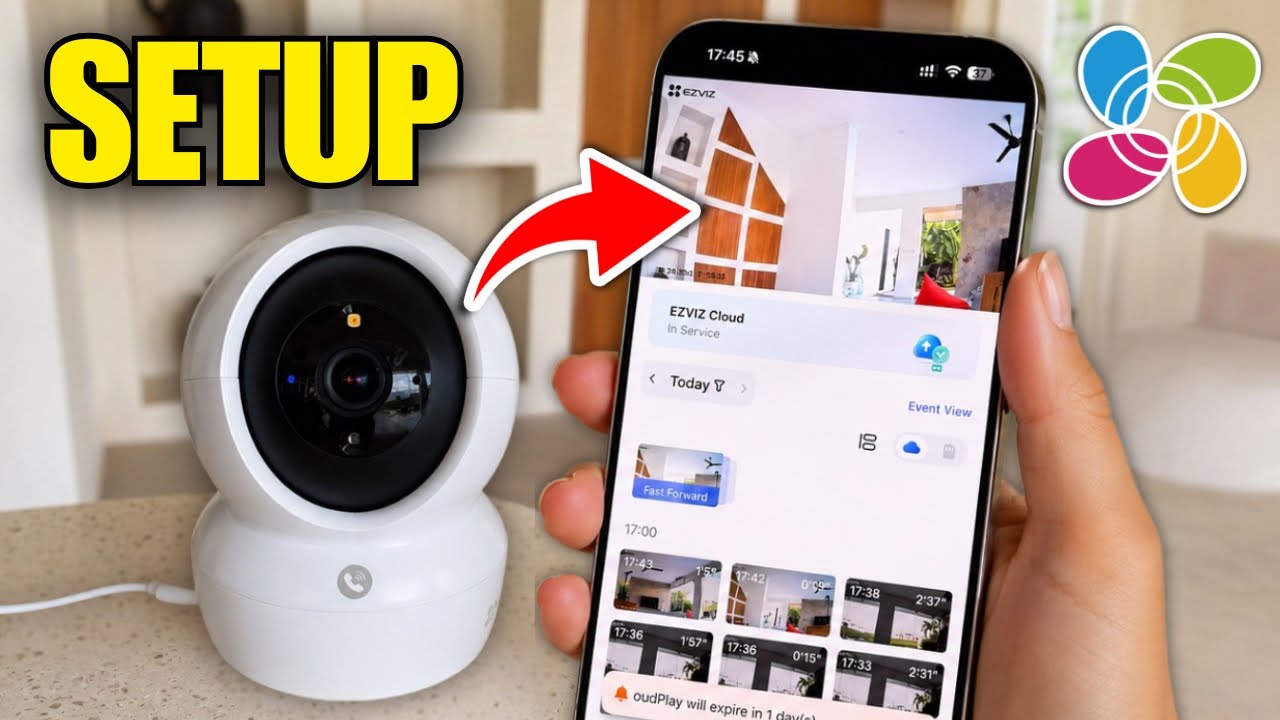
Setting up an EZVIZ outdoor security camera across UK homes involves installing the EZVIZ mobile app, establishing a dedicated 2.4 GHz connection on your broadband hub, scanning the device QR code, and testing signal reception against exterior brickwork prior to drilling.
Protecting British properties—from typical Victorian terraced houses to expansive suburban detached homes—requires strategic security planning. Before securing your hardware, consult our detailed guide on optimal security camera placement to eliminate blind spots around driveways and rear garden perimeters.
Below is a complete installation walkthrough tailored for the UK market, addressing broadband compatibility, common QR recognition snags, legal guidelines under UK data laws, and the top-rated outdoor models available nationwide.
Why Outdoor Smart Cameras Are Essential for UK Home Security
Modern smart cameras allow British homeowners to supervise entrances, porches, and side alleys straight from their smartphone. Built with active defence systems and smart human/vehicle shape detection, EZVIZ systems filter out false triggers caused by wind or wandering wildlife, ensuring immediate, actionable security alerts.
Initial App Configuration: Step-by-Step Walkthrough
• Install the App: Grab the latest EZVIZ application via the iOS App Store or Google Play Store and register a UK account.
• Hardware Power-up & Reset: Plug in the camera indoors near your router. If configuring a refurbished or previously used device, hold the Reset button for 10–15 seconds until voice guidance or status LEDs signal ready mode.
• Connect via 2.4 GHz Band: Keep your smartphone connected to your local 2.4 GHz frequency during initial pairing.
• Device Registration: Tap the "+" symbol in the app header and frame the printed QR code found on the camera body or manual.
• Outdoor Signal Assessment: Hold the camera against your intended exterior brickwork to confirm uninterrupted streaming before fixing screws and wall plugs.
[EXPERT TIP: UK BROADBAND ROUTERS]
Standard UK hubs—such as
BT Smart Hub 2, Virgin Media Hub (Hub 3/4/5), and Sky Broadband Hub—utilise Smart Wi-Fi features that merge 2.4 GHz and 5 GHz bands under identical SSIDs. If your EZVIZ camera fails to pair:
- Log into your hub manager via your web browser (commonly
192.168.1.254 or 192.168.0.1). - Temporarily disable the 5 GHz band or create a distinctive name for the 2.4 GHz network.
- Once pairing finishes, you can re-enable your high-speed settings without dropping connection.
UK Domestic CCTV Regulations: How to Stay ICO Compliant
Under guidelines from the UK Information Commissioner's Office (ICO) and UK Data Protection laws, using domestic security cameras is completely legal, but capturing footage beyond your private boundary (such as public pavements or neighbouring gardens) requires responsible handling:
• Enable Privacy Masking: Open your EZVIZ camera settings, navigate to Privacy Zone, and black out windows or shared fence lines to prevent recording adjacent properties.
• Position Consciously: Angle camera lenses downward towards your driveway or patio rather than horizontal sightlines.
• Display Clear Signage: Place a discreet CCTV warning sticker near your entrance to notify visitors and delivery drivers.
Troubleshooting QR Code Recognition Errors
Outdoor stickers often suffer from protective film glare, overcast lighting, or lens reflection. If your scanner fails:
- Clean your smartphone camera lens and eliminate glare by shielding direct light with your hand.
- Scan the duplicate QR code printed on the inside cover of the Quick Start Guide.
- Select "Add Manually" in the app to input the 9-digit serial number and 6-letter verification code printed on the camera base.
Choosing the Best EZVIZ Camera for UK Residential Properties
| Requirement | Recommended Model | Ideal UK Use Case |
|---|
| Standard home with reliable broadband | C8c (Pan & Tilt) / EZVIZ OutPro (Fixed Lens) | Terraced front entrances, rear garden patios, and side alleys |
| Dual-angle / wider perimeter coverage | H9c Dual 3K | Corner-of-building views and large shared driveways |
| Allotment, holiday let, or outbuilding | CB8 Lite 4G | Rural properties and locations lacking fixed broadband line (Cellular/SIM pairing) |
| Complete off-grid autonomy | EB8 Pro 4G Kit | Stables, remote garages, and private construction sites (Cellular/Solar kit) |
Frequently Asked Questions: UK Installation
What are the privacy and legal considerations for installing CCTV at home if the camera can see a sidewalk or a neighbor's yard?
Under UK Data Protection law and Information Commissioner's Office (ICO) guidelines, if your domestic camera captures areas beyond your property boundary—such as public pavements, communal paths, or neighbouring gardens—the UK GDPR applies to your setup. To remain legally compliant, you should: (1) clearly display a visible CCTV notice stating that recording is in progress; (2) use the "Privacy Masking" feature within the EZVIZ app to digitally black out neighbouring windows or private spaces; (3) ensure recorded footage is stored securely and not published online; and (4) respect reasonable subject access requests if individuals ask to view recordings of themselves.
My camera won't connect to Wi‑Fi during setup—what are the most common causes and fixes?
The most common reason for Wi-Fi setup failure on UK routers is "band steering"—when your router combines 2.4 GHz and 5 GHz under a single SSID, as most outdoor Wi-Fi cameras primarily rely on a dedicated 2.4 GHz channel during pairing. To resolve this: (1) temporarily split or disable the 5 GHz band in your hub settings (such as BT Smart Hub or Virgin Media Hub); (2) verify your Wi-Fi password does not contain unsupported special characters (stick to letters and numbers); (3) bring the camera within 1–2 metres of the router during initial setup rather than pairing at the outdoor mounting location; and (4) ensure mobile phone permissions (specifically Local Network and Location) are enabled in your phone's OS settings for the EZVIZ app.
My camera won't scan the QR code during setup—what are the common fixes?
If the app scanner fails to recognise the printed code, the issue is typically caused by glare on the sticker laminate or incorrect focal distance. To resolve it: (1) hold your mobile phone 15 to 20 cm away and adjust the angle to eliminate overhead light reflections; (2) scan the secondary QR code printed on the inside front page of the included Quick Start Guide; or (3) bypass scanning altogether by selecting "Add Manually" in the app, entering the 9-digit serial number (SN) and the 6-capital-letter verification code printed on the device's physical specification label.
What should I prioritize for an outdoor camera in heavy rain and extreme temperatures: IP rating, housing design, or something else?
For the unpredictable British climate, prioritize an IP65 or higher Ingress Protection rating, which guarantees complete dust sealing and robust protection against heavy, driving rain. In addition to the IP rating, look for: (1) an integrated hood or protruding sunshield that deflects dripping rainwater away from the optical glass to avoid blurred footage; (2) an operating temperature range certified down to -20°C or lower for reliable winter frost resistance; and (3) a weatherproof cable connection kit (included with EZVIZ wired outdoor models) or an external IP66 junction box to seal Ethernet and DC power pigtails from moisture ingress.
Conclusion: Robust Protection Designed for British Homes
A properly configured outdoor camera delivers 24/7 security and peace of mind. By matching router settings to 2.4 GHz, positioning hardware to respect neighbour privacy, and selecting durable hardware like the C8c or H9c Dual 3K, your premises remain thoroughly secured year-round.
Explore our broader home security line-up for the UK, including smart video doorbells and the versatile 9-piece home sensor kit to complete your system.


 EZVIZ no longer supports Internet Explorer 10 or earlier versions, and the site may not behave as expected. Please upgrade to a newer browser.

