 EZVIZ no longer supports Internet Explorer or earlier versions, and the site may not behave as expected. Please upgrade to a newer browser.

Choosing a high-quality security camera means looking beyond resolution alone. Image detail, low-light performance, viewing coverage, detection accuracy, storage, connectivity, power and privacy features can all affect whether a camera suits your home and monitoring needs.
High quality is not defined by one single specification. Rather, it represents the balance of usability, practical performance under real-world conditions, and dependable operation.
Choosing a high-quality security camera means comparing image detail, low-light performance, viewing coverage, detection, storage, connectivity, power, installation suitability and privacy—not resolution alone. Modern smart home cameras are engineered for varied environments, so top-tier performance depends on matching hardware capabilities with realistic monitoring demands.
A high-quality security camera is therefore not defined by one specification. It combines useful image detail, dependable low-light performance, suitable viewing coverage, practical detection, reliable connectivity, appropriate power and storage options, straightforward software use and responsible privacy controls.
Resolution affects how much visible detail a recording may contain. However, a higher pixel count cannot compensate for poor lighting, an unsuitable lens or a camera installed too far from the area of interest. Low-light performance is equally important because a camera may need to provide useful visibility after dark.
Coverage also shapes quality. A lens with a specified viewing angle may suit a focused area, while a wider-angle lens can show more of a scene. Pan-and-tilt models can adjust their viewing direction, and dual-lens designs can offer broader viewing options for more complex areas.
Other practical factors include whether the camera can connect reliably, how it is powered, how footage is stored and whether its design suits the installation environment. Privacy and account security also matter, particularly where a camera may capture people or areas beyond the intended scene.
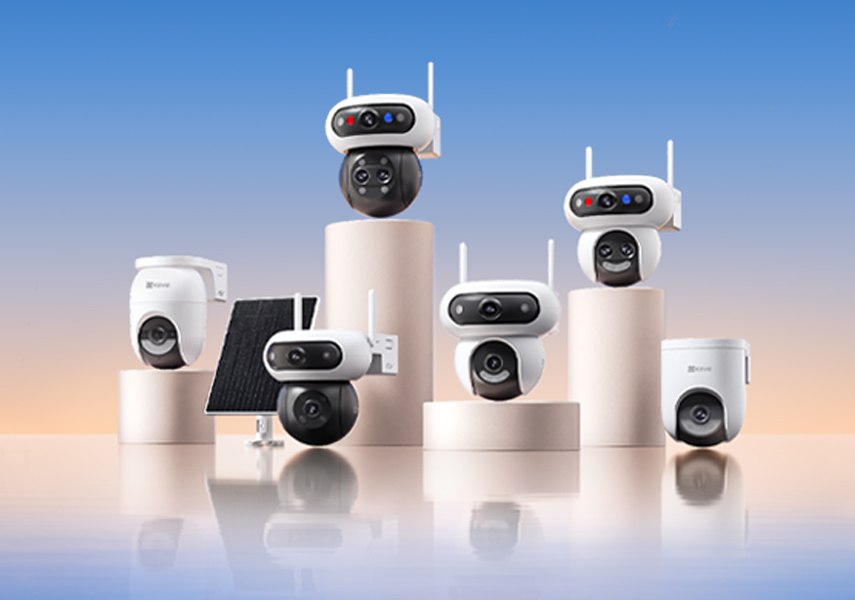
For example, the EZVIZ H80x Dual combines a maximum resolution of 3840 × 2160 with dual image sensors, 340° pan, 70° tilt, digital WDR, 30 m / 98 ft black-and-white night vision and 2.4 GHz Wi-Fi support. By comparison, the EZVIZ C6N G1 2K provides 2K clarity, AI human detection, MicroSD support up to 512 GB, Wi-Fi pairing and an RJ45 Ethernet port. These examples show why quality should be assessed against the intended use rather than a single headline feature.
Camera quality matters because specifications affect how useful the system is in everyday monitoring.
The EZVIZ H80x Dual, for instance, offers 4K maximum resolution, minimum illumination of 0.01 Lux with AGC on and 0 Lux with IR, digital WDR and 30 m / 98 ft black-and-white night vision. The EZVIZ H9c Dual 3K and related models offer broad panoramic views, motorised pan and tilt, digital WDR and long-range night vision.
These features can be relevant in different situations, but they do not establish that one camera is universally better. A useful definition of quality is usability + relevant performance + reliability, rather than the highest megapixel count.
Common resolution levels include 1080p, 2K, 3K and 4K. Higher resolution can provide more image detail, but the benefit depends on viewing distance, lens, lighting and intended use. A 4K camera is not automatically the best choice for every home.
Consider resolution alongside field of view, night performance and storage requirements. For wide-angle outdoor surveillance requiring rich pixel density, the EZVIZ H80x Dual reaches up to 3840 × 2160 resolution and combines two lenses for broader monitoring.
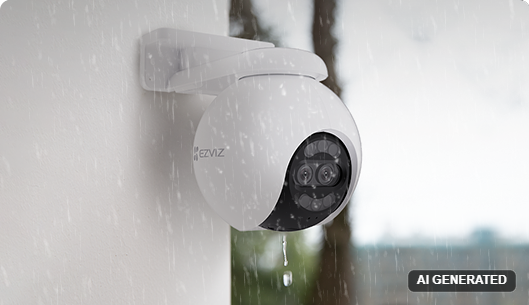
Review the camera’s infrared capability, minimum illumination, day/night switching and stated night-vision range. IR can support visibility in darkness, while other low-light approaches may suit different lighting conditions. Colour output is not automatically preferable in every setting.
Also consider the distance between the camera and the area you need to monitor. The EZVIZ CB8 Lite specifies minimum illumination of 0.01 Lux with AGC on, 0 Lux with IR, automatic IR-cut filter switching and 15 m night vision. The EZVIZ H80x Dual specifies 0.01 Lux with AGC on, 0 Lux with IR and 30 m / 98 ft black-and-white night vision.
A lens with a narrower specified viewing angle may suit a specific area, while a wide-angle lens can cover more of a scene. Pan-and-tilt allows the viewing direction to be adjusted, and a dual-lens design may provide broader viewing options than a single-view camera when monitoring a large or complex area.
Match the viewing angles and movement range to the installation position. The EZVIZ H80x Dual has dual image sensors, wide diagonal and horizontal coverage, plus 340° pan and 70° tilt. The EZVIZ H9c Dual 3K combines co-ordinated lens views with broad pan and tilt mechanics, while the EZVIZ C6N G1 2K provides 350° pan and 85° tilt for broad indoor room monitoring from wall to wall.
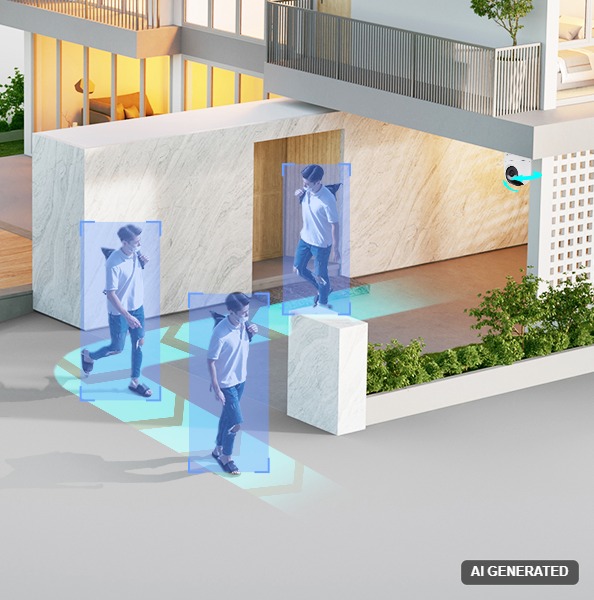
Motion detection is not the same as AI-based human or vehicle detection. When comparing models, check exactly what type of detection is documented. Model-specific human or vehicle detection can help distinguish certain events and make alerts more relevant, depending on conditions.
Event filtering, tracking and auto-zoom should also be treated as separate capabilities rather than assumed features. Detection technology does not necessarily eliminate false alarms or perform identically in every environment. Basic motion sensors detect general pixel movement, whereas dedicated AI algorithms classify human shapes to streamline notifications.
Mains-powered cameras can suit fixed positions where a suitable power source is available. Battery-powered cameras may offer more flexibility in placement, but their specific power and charging arrangements should be checked before purchase.
Wi-Fi models require an appropriate wireless connection at the installation point. Where domestic Wi-Fi does not extend, versatile solutions such as the EZVIZ CB8 Lite 4G operate on cellular networks using a compatible Nano-SIM and active data plan. For indoor installations, the EZVIZ C6N G1 2K provides both 2.4 GHz Wi-Fi and an RJ45 Ethernet port alongside a modern Type-C power interface.
Storage may include local MicroSD recording, cloud storage or other model-specific options. These approaches can differ in how footage is accessed, managed and retained. Check the exact supported method and maximum capacity for the camera you are considering.
The EZVIZ C6N G1 2K includes a MicroSD card slot supporting up to 512 GB of local storage. Other models, such as the EZVIZ H80x Dual and EZVIZ CB8 Lite, support adaptive bitrates to optimize storage allocation without compromising image clarity.
For indoor monitoring, consider room coverage, compact placement, pan-and-tilt requirements and whether the camera could capture private areas within the home. For outdoor installation, consider the position, viewing coverage and night-vision range, and verify environmental suitability in the specific product documentation.
Match the lens and movement range to the target area, whether that is an entrance, room or driveway. The indoor EZVIZ C6N G1 2K is designed for quiet interior placement with a physical privacy shutter. For external monitoring, robust cameras such as the EZVIZ C8C 3K, EZVIZ H80x Dual, and EZVIZ H9c Dual 3K provide weatherproofing and wide coverage capabilities.
Think about where the camera points and whether neighbouring or otherwise private areas may enter the frame. Review available privacy controls, account security and data-handling options for the specific model.
Privacy requirements vary by country and region. Whether installing domestic security equipment locally or internationally, always check applicable privacy principles and data regulations to ensure your devices capture only the areas within your intended property perimeter.
The following specifications illustrate how different features correspond to diverse evaluation priorities. They are presented for comparison rather than as a hierarchical ranking.
| Model | Resolution | Coverage & Motion | Low-Light Imaging | Detection Type | Power Method | Connectivity & Storage | Deployment & Privacy |
|---|---|---|---|---|---|---|---|
| EZVIZ H80x Dual | Up to 3840 × 2160 | Dual sensors; 340° pan and 70° tilt | 0.01 Lux (AGC on), 0 Lux with IR; 30 m / 98 ft night vision | Digital WDR supported; targeted detection capabilities | Mains power connection (DC 12V/1A) | 2.4 GHz Wi-Fi, RJ45; MicroSD up to 512 GB | Weather-resistant exterior (IP65); orient properly to preserve boundary privacy |
| EZVIZ C6N G1 2K | 2K (2304 × 1296) | 98° diagonal; 350° pan and 85° tilt | Smart Color Night Vision; IR night vision up to 10 m | Smart human shape detection | Type-C (DC 5V) | 2.4 GHz Wi-Fi, RJ45 Ethernet; MicroSD up to 512 GB | Indoor design; features physical privacy shutter for dedicated household privacy |
| EZVIZ CB8 Lite 4G | Up to 2560 × 1440 | 340° pan and 80° tilt | 0.01 Lux (AGC on), 0 Lux with IR; 15 m night vision | Smart motion tracking and event detection | Rechargeable battery-powered | 2.4 GHz Wi-Fi + 4G cellular connectivity; MicroSD support | Cable-free perimeter placement; verify cellular reception before mounting |
No single row represents overall quality for every home. Compare the exact model specification with the distance, lighting, coverage, connectivity, power and footage-access requirements of your installation.
No. Higher resolution can provide more detail, but its value depends on viewing distance, lens, lighting, intended use and storage requirements. A balanced camera may be more suitable than one selected only for its maximum resolution.
Check minimum illumination, whether IR is supported, how day/night switching works and the stated night-vision range. Also consider the distance and lighting conditions of the scene. Colour night vision is not automatically better for every installation.
They can be useful when you need adjustable viewing or broader coverage. Their value depends on the area’s size, shape and potential blind spots. Check the camera’s actual viewing angles and movement range rather than assuming that every pan-and-tilt or dual-lens model covers the same area.
Confirm the exact network options, frequency requirements, pairing method and power arrangement. For storage, check whether the model supports MicroSD, cloud storage or another method, along with any stated capacity limits. Modern cameras like the EZVIZ C6N G1 2K, for example, support MicroSD storage up to 512 GB, Wi-Fi pairing and an RJ45 Ethernet port.
A camera’s quality also concerns responsible use. Consider where it points, whether private or neighbouring areas enter the frame, and how account and data security are managed. Privacy requirements vary by country and region, so review the guidance applicable to your location before installation.


 Store
Store