We recommend updating your cookie settings to enable full functionality
Smart PoE Video Doorphone
Make it easier to stay connected to every entrance with the TP5 PoE Screen. Its 7-inch touchscreen gives you a clear, convenient place to view connected intercom panels, talk to visitors, review locally stored footage, and unlock the door with a simple tap. Designed for flexible expansion, the screen lets you add and manage additional compatible intercom panels as your access needs grow. Whether you're adding another indoor control point or expanding an existing TP5 PoE setup, it works as an add-on device that brings everyday door management together in one intuitive place.

7-Inch Color Screen

PoE Deployment

Flexible Multi-Device Pairing1
Gate-Opening and Unlocking2

Backup Network & Power Options
2.4G/5G Dual-band Wi-Fi

Control Other EZVIZ Devices via Indoor Screen
Multiple Ringtones4
App Remote Control

Two-Way Talk

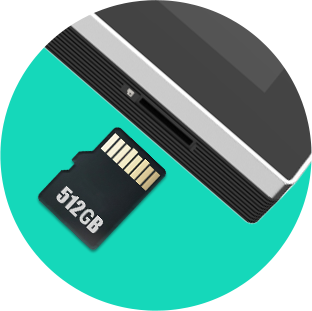
Supports Local (Up to 512 GB) & EZVIZ CloudPlay Storage3
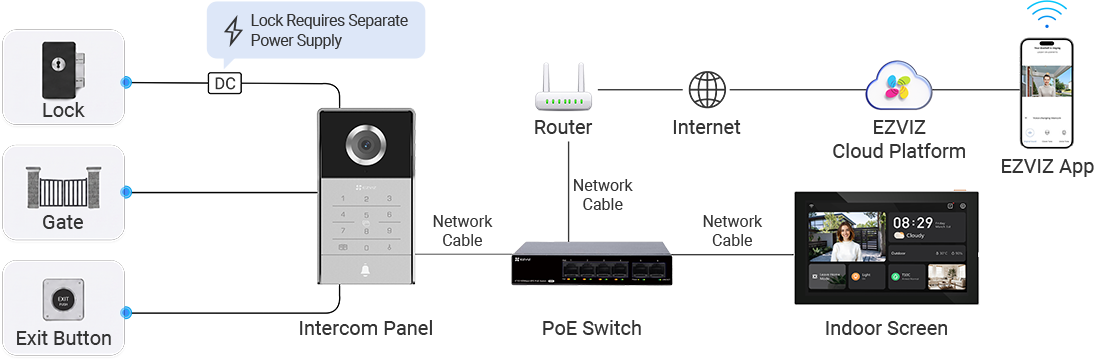
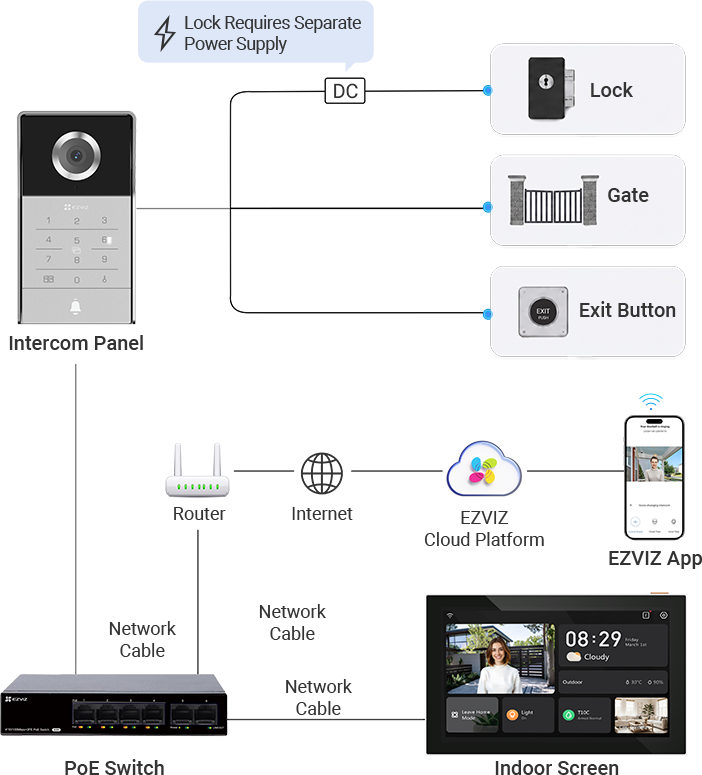
Designed for flexible expansion, the TP5 PoE Screen supports PoE connectivity to deliver both power and network through a single Ethernet cable. This helps reduce cable clutter and simplifies installation while maintaining a stable connection.
Single Cable for Power & Network


Note:
* Recommended wire length between the intercom panel and the lock, gate, or exit button: 1-10 m.
* PoE Switch and Intercom Panel not included. Please purchase separately if required.
Designed to grow with your home, TP5 PoE lets you easily expand your system with additional outdoor intercom panels and indoor screens. Support for up to 4 intercom panels and 8 indoor screens ensures flexible coverage for larger homes and multiple entrances.
Expand as You Need

Up to
4
Intercom Panels Can Be Paired

Up to
8
Indoor Screens Can Be Paired
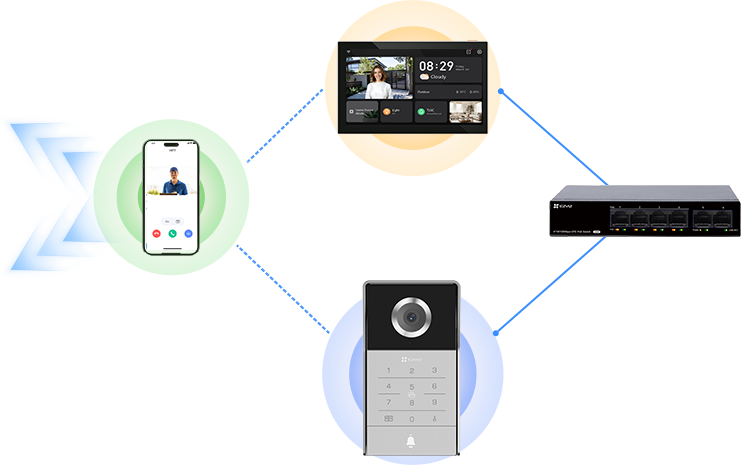
Expand as You Need

Up to
4
Intercom Panels Can Be Paired

Up to
8
Indoor Screens Can Be Paired
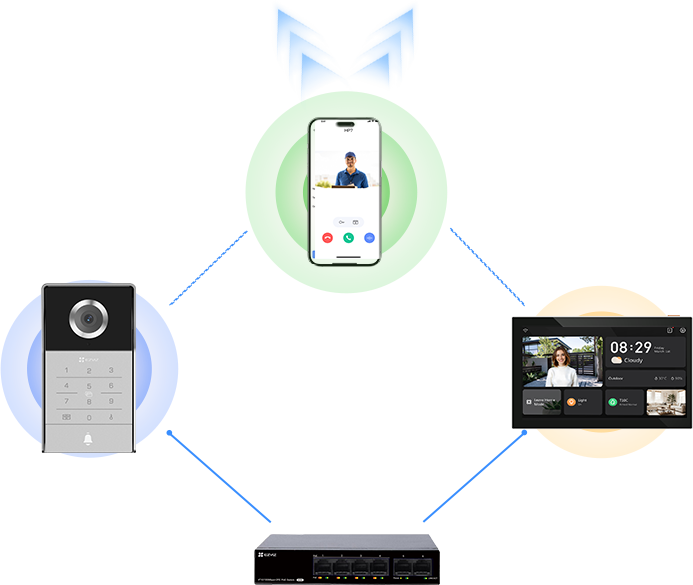

Remote Control via the EZVIZ App
PoE Connection
PoE Connection
Note:
* Pairing requires devices to be on the same network and account.
* PoE Switch and Intercom Panel not included. Please purchase separately if required
Note:
* Pairing requires devices to be on the same network and account.
* PoE Switch and Intercom Panel not included. Please purchase separately if required
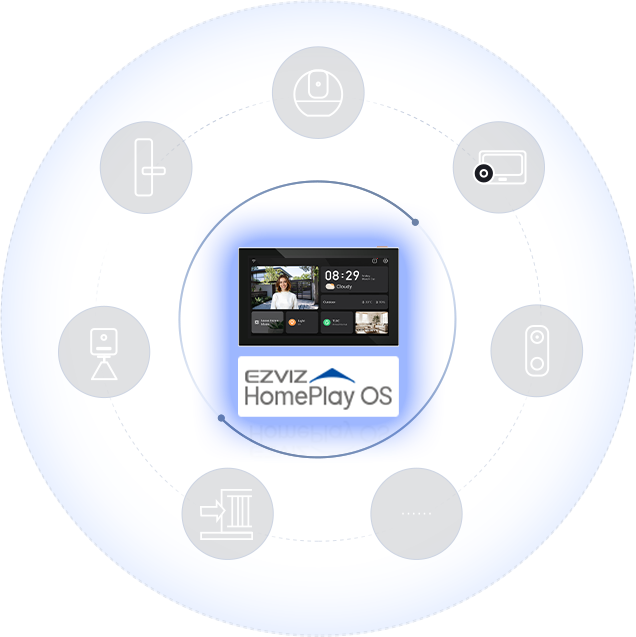
Keep your home security connected through the elegant and compact touch screen. Its intuitive dashboard lets you easily control and manage all your compatible EZVIZ security devices from one place. Designed for broad compatibility with existing gate opener and lock systems, TP5 PoE makes upgrading your entrance simpler while helping you keep your current setup.

Wired Camera
Smart Lock
Peephole Doorbell
Battery Camera
Video Doorbell
Smart Gate Opener
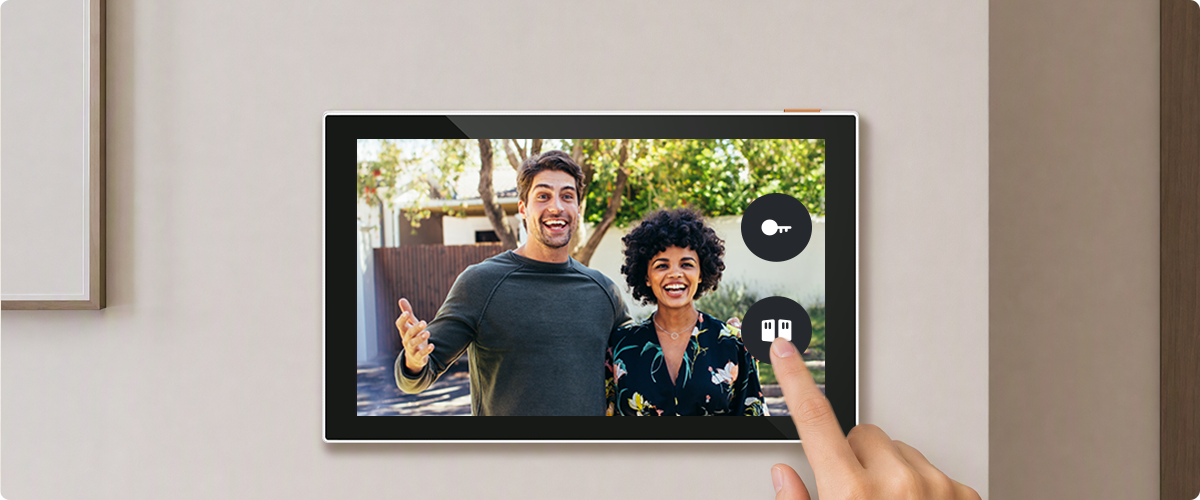
The intuitive 7-inch touch screen brings everyday front-door management together in one place. Enjoy crystal-clear live viewing, communicate with visitors, unlock your gate or door, and access video history whenever you need it.
Crisp live viewing
Gate/Door unlock2
Video history and storage
(supports local storage of up to 512 GB)
Crisp live viewing
Gate/Door unlock2
Video history and storage
(supports local storage of up to 512 GB)
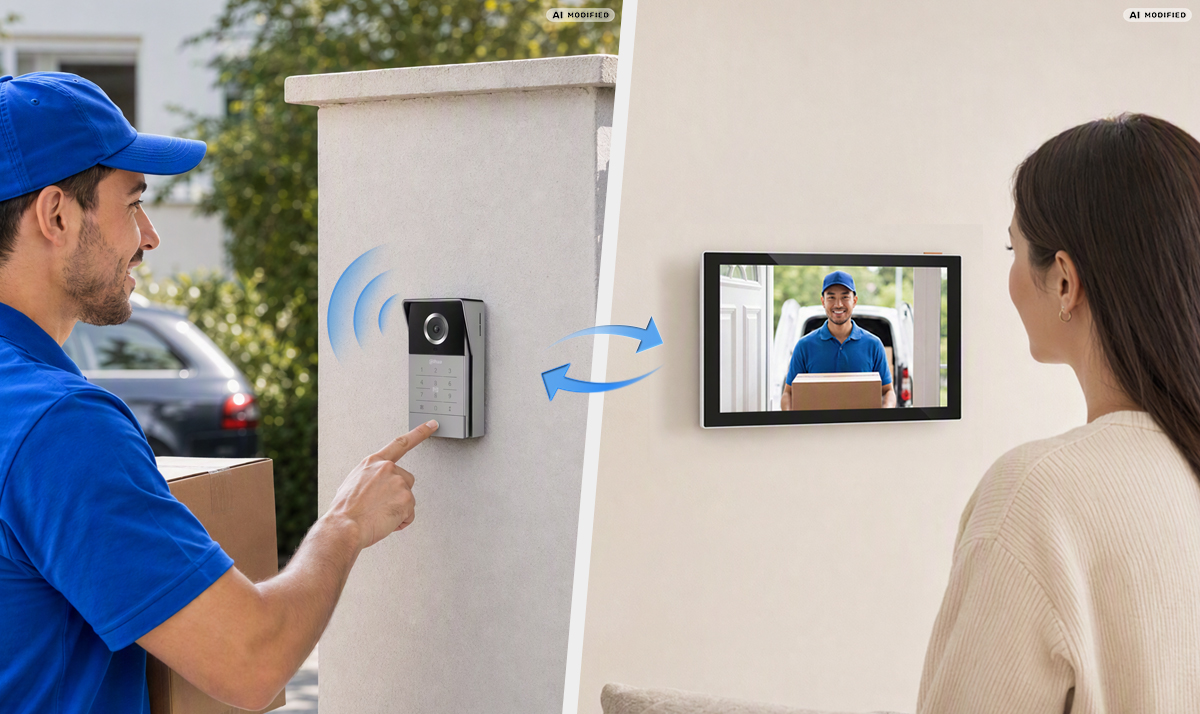
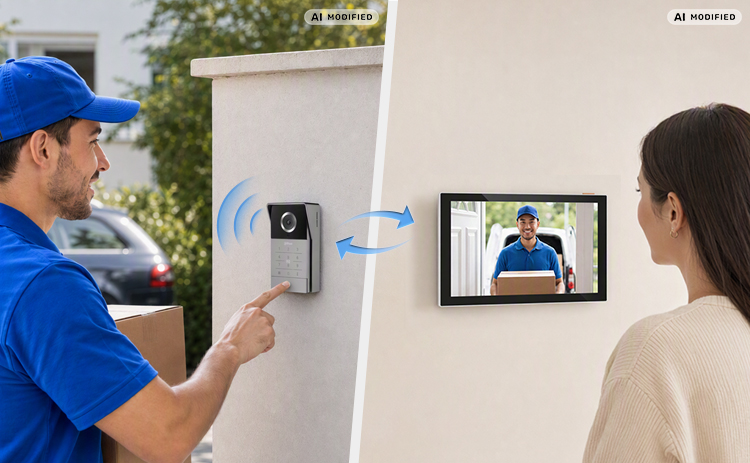
Once connected to a compatible TP5 PoE Intercom Panel, the TP5 PoE Screen enables smooth two-way communication between the indoor screen and the doorphone. See who's at the door and talk to visitors directly from the screen, making everyday communication at your entrance simple and convenient.
Thank you, please leave that outside the door.
Hi, you have a delivery.



Remote Unlock

Two-Way Talk
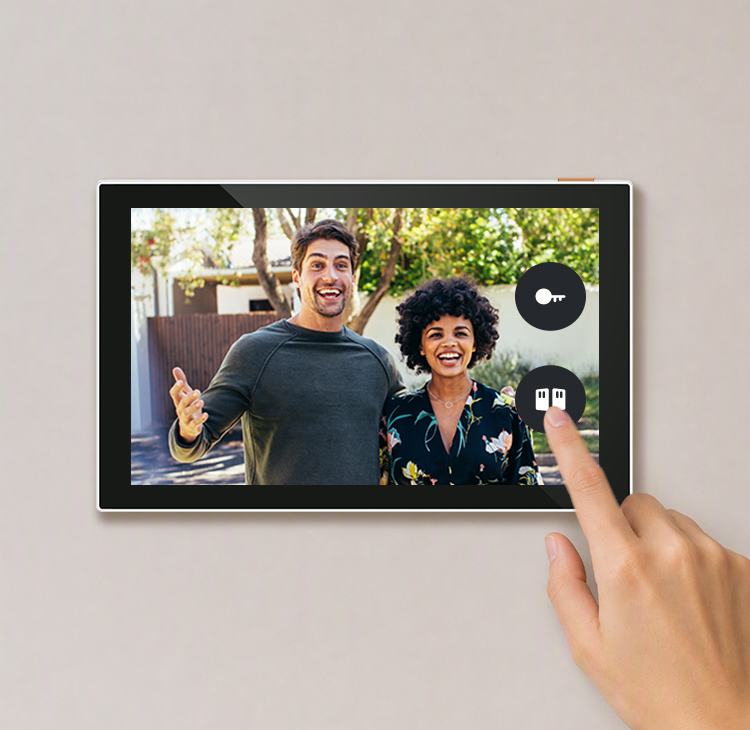
Unlock the way that works best for you. When connected to a TP5 PoE Intercom Panel, the TP5 PoE Screen lets you unlock the connected door directly from the touchscreen with a simple tap. Whether welcoming family, friends, or expected visitors, you can manage entry conveniently without having to walk to the door.
Tap the touch screen to open the gate


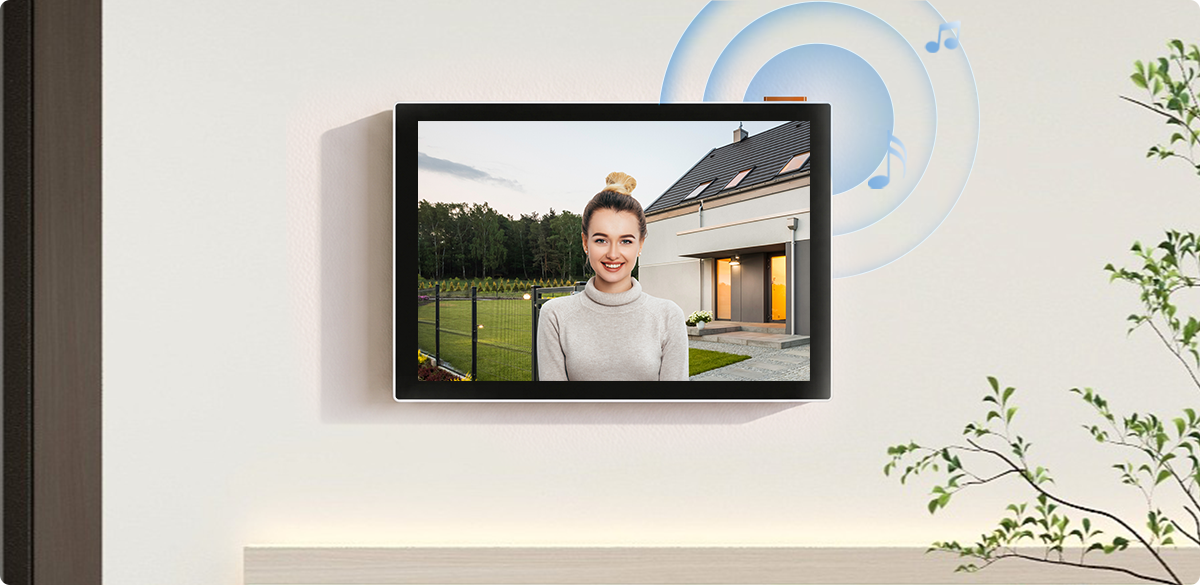
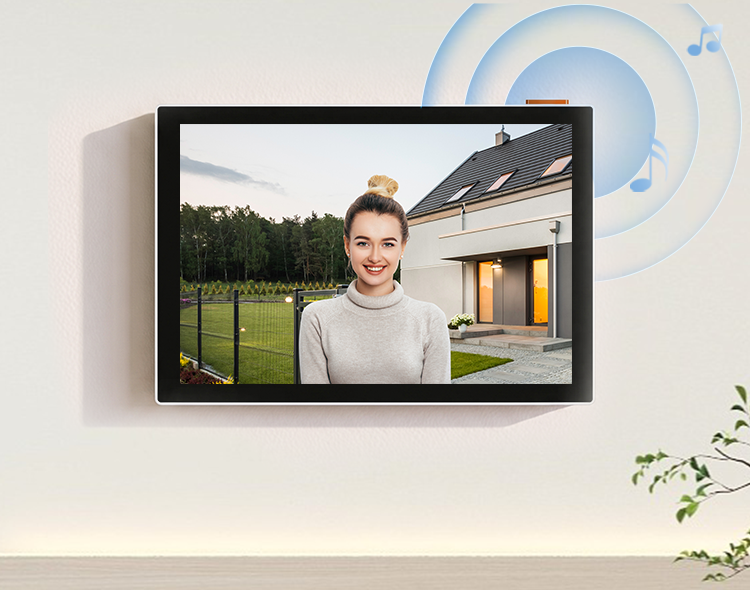
Choose from multiple ringtone options to make incoming visits easier to recognize and better suited to your preferences. You can select the ringtone that fits your home and how you like to be notified.
Customize your pleasant ring with multiple ringtone choices4


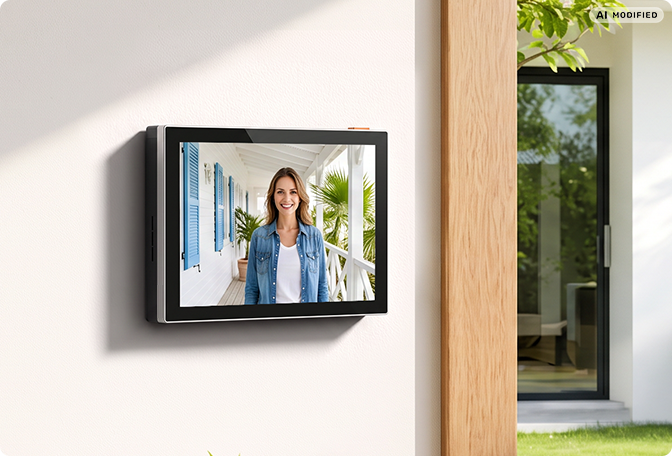
Designed with a refined minimalist aesthetic, the TP5 PoE Screen features a sleek black finish that adds a premium touch to modern interiors. Its edge-to-edge touchscreen creates an elegant look while offering a more immersive and intuitive way to interact with your smart entry system.
In addition to PoE, the TP5 PoE Screen supports alternative power and network connections, giving you greater installation flexibility while providing reliable backup to keep your system running when needed.
Connect the PoE port of the screen to a PoE port on a PoE switch for both power and network connection.
Connect the PoE port of the screen to a LAN port on a switch or router for network connection and a reserved DC 12 V power supply.
Connect the PoE port of the screen to a LAN port on a switch or router for network connection and a power outlet via a DC 12 V power adapter (purchase separately) for power supply.
Connect the screen to Wi-Fi and a power supply, either a reserved DC 12 V power supply or a power outlet via a DC 12 V power adapter (purchase separately).
Connect the PoE port of the intercom panel to a PoE port on a PoE switch for both power and network connection.
Connect the PoE port of the intercom panel to a LAN port on a switch or router for network connection.Connect the power terminals to a reserved DC 12 V power supply (via the wire connector included in the package).
Connect the PoE port of the screen to a PoE port on a PoE switch for both power and network connection.
Connect the PoE port of the screen to a LAN port on a switch or router for network connection and a reserved DC 12 V power supply.
Connect the PoE port of the screen to a LAN port on a switch or router for network connection and a power outlet via a DC 12 V power adapter (purchase separately) for power supply.
Connect the screen to Wi-Fi and a power supply, either a reserved DC 12 V power supply or a power outlet via a DC 12 V power adapter (purchase separately).
Compared to the prevailing H.264 video compression technology, H.265 creates a more fluid viewing experience. Meanwhile, you won’t have to worry about large video files taking up too much of your storage space – H.265 technology reduces their sizes by up to 50%6.


You can secure your recorded videos to local storage of up to 512 GB, or subscribe to EZVIZ CloudPlay for fully-encrypted cloud storage.

Supports Local Storage3

Supports EZVIZ CloudPlay Storage3
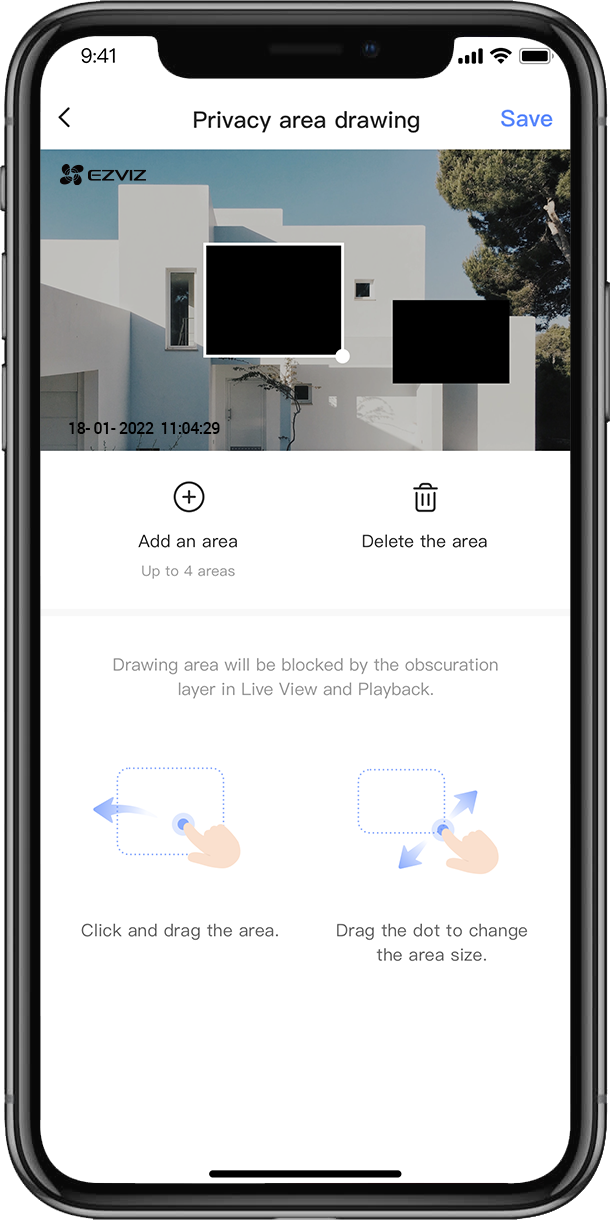
We put security as the primary goal of every product and system that we build. We have also developed various privacy features and flexible settings that you can use at any time to feel even safer.

End-to-end Data Encryption
AES
Data Encryption
TLS
Data Transmission Encryption
Our global certifications in the fields of information security ,privacy information security , and cloud security


End-to-end Data Encryption
AES
Data Encryption
TLS
Data Transmission Encryption
Our global certifications in the fields of information security ,privacy information security , and cloud security


| Specifications | |
|---|---|
| Model | CS-TPD5-R100-1Q5E (Indoor Screen) |
| Screen Parameters | |
| Screen Size | 7-inch Touchscreen |
| Resolution | 1024 × 600 |
| Audio Parameters | |
| Audio Input | Built-in High-Sensitivity Microphone |
| Audio Output | Built-in High-Power Speaker |
| Smart Features | |
| Multiple Ringtones | Up to 20 Ringtones |
| Functions | Live View, Playback, Two-Way Talk, Video Call |
| Storage | Supports Local Storage Card (Up to 512 GB) |
| Interfaces & Connection | |
| Network Port | 1 RJ-45 10 / 100 Mbps Self-Adaptive; Connect to a PoE switch or router for wired network connection |
| Button | Screen On / Off Button |
| Terminal Blocks | Two wiring ports for independent power supply (12 V DC, GND) |
| Connection Method | PoE Connection (also support independent DC 12 V power supply and network cable connection / 2.4 G and 5 G Dual Band Wi-Fi as a backup solution); Digital Signal Transmission |
| Max. Intercom Panel Supported | Up to 4 |
| Transmission Distance | Max 100 m |
| Network Parameters | |
| Wired Network | 10 / 100 Mbps Ethernet |
| Network Protocol | TCP / IP, EZVIZ Cloud Proprietary Protocol, EZVIZ EZCONNECT Protocol |
| Interface Protocol | EZVIZ Cloud Proprietary Protocol |
| Wi-Fi Parameters | |
| Wi-Fi Standard | IEEE 802.11a, 802.11b, 802.11g, 802.11n, 802.11ac |
| Frequency Range | 2.4 GHz ~ 2.4835 GHz; 5.15 GHz ~ 5.35 GHz; 5.47 GHz ~ 5.725 GHz |
| Channel Bandwidth | Supports 20 MHz@2.4 G, supports 80 MHz@5 G |
| Security | WPA / WPA2 / WPA3, WPA-PSK / WPA2-PSK / WPA3-PSK |
| Transmission Rate | 11b: 11Mbps, 11g: 54Mbps, 11a: 54Mbps, 11n: MCS7, 11ac: MCS9, 11ax: MCS11 |
| General (Indoor Screen) | |
| Operation Conditions | -10°C to 45°C, Humidity 95% or Less (Non-Condensing) |
| Power Supply | IEEE 802.3af, Standard PoE; 12 V DC, 1.5 A |
| Power Consumption | < 8 W |
| Product Size | 180.3 × 111.6 × 18.6 mm |
| Packaging Size | 224 × 152 × 58 mm |
| Net Weight | 319 g |
| Weight with Package | 674 g |
| In the box | |
| In the box | - 7-inch Touchscreen (×1) |
| - Wall Bracket for Screen (×1) | |
| - Drill Template for Screen (×1) | |
| - DC 12 V Power Supply Jack Connector Cable (×1) | |
| - Screw Kit (×1) | |
| - Regulatory Information (×2) | |
| - Quick Start Guide (×1) | |
| Certifications | |
| Certifications | CE / WEEE / RoHS / REACH |
Subscribe now to stay updated with the latest news and updates.
By subscribing, you agree to our Privacy Policy for marketing communications.
We have updated our Terms of Service, CloudPlay Paid Subscription Terms and Privacy Policy. Please read them carefully.
We provide you with customized service and safe user experience with Cookie. Login and browse our website indicates that you permitted us getting information in/out the website with Cookie. Please visit Use of Cookies