 EZVIZ no longer supports Internet Explorer or earlier versions, and the site may not behave as expected. Please upgrade to a newer browser.

A smart front door combines visual verification, motorized keyless access, perimeter monitoring, and local storage options into a coordinated entrance setup. Upgrading your entrance with a robust smart lock front door system, an AI-powered doorbell security camera, and solar-assisted wireless outdoor security cameras helps improve visibility around key entrance areas—providing remote access and activity notifications on compatible devices, while helping maintain monitoring and access capabilities during power outages when paired with suitable battery, solar, or cellular backup options.
In South African residential estates, suburban stand-alone properties, and sectional title complexes across Johannesburg, Cape Town, and Durban, the front entrance represents both a welcome point and the primary physical barrier of your home. Standard mechanical locks and optical peepholes can provide basic protection, but connected entry devices may add visitor verification, access management, and activity notifications.
Equipping your threshold with a dedicated smart lock front door installation provides tamper alerts, keyless convenience, and digital access auditing. When combined with smart gates, automated perimeter monitoring, and battery backup systems, a smart entrance can help detect activity around the property and provide earlier alerts before someone reaches the front entrance.
The foundation of any smart entrance is visual awareness. Before opening your security gate or unlocking your main door, you should visually verify visitors, delivery couriers, or service personnel.
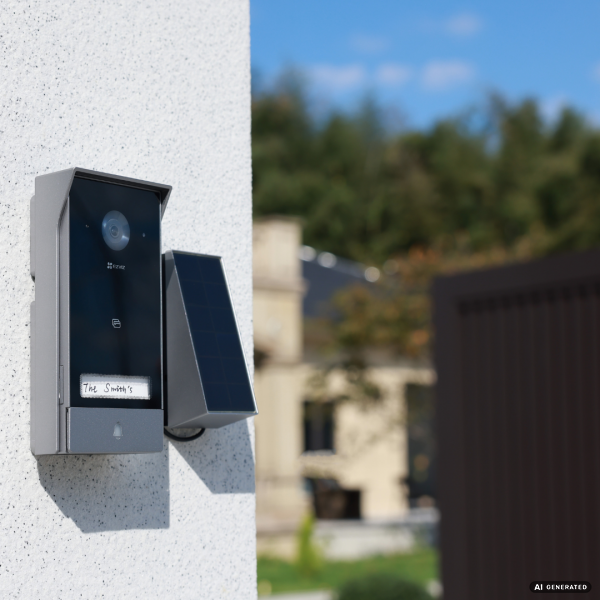
As a general installation starting point, place your doorbell security camera around 1.2 to 1.45 metres high, then adjust it according to the doorway layout, visitor height, and manufacturer installation instructions. Customize detection zones in the mobile app to avoid unwanted alerts from moving branches or perimeter fences while maintaining responsive coverage of the entry path.
Reducing reliance on everyday keys can help simplify access management and reduce the need to share physical keys among family members or staff. Upgrading to the best smart locks for home environments equips your entrance with robust mechanical lock bodies and versatile digital unlocking methods, while preserving a physical mechanical key for emergency backup where supported.
| Feature | DL05 Series | DL06 Slimline Series | Y2000 Series |
|---|---|---|---|
| Unlocking Methods | Fingerprint, Passcode, Proximity Card, Mobile App, Mechanical Key | Handle Fingerprint, Passcode, Proximity Card, App, Mechanical Key | Fingerprint, Passcode, Proximity Card, Mobile App, Mechanical Key |
| Connectivity | Built-in 2.4GHz Wi-Fi / Bluetooth | 2.4GHz Wi-Fi / Bluetooth / EZVIZ App | Built-in 2.4GHz Wi-Fi / EZVIZ App (Direct Connect) |
| Power Source | 8x AA Alkaline Batteries | Rechargeable Lithium Battery | 4x or 8x AA Alkaline Batteries |
| Emergency Jumpstart | Type-C Power Bank Port | Type-C Power Bank Port | Type-C Power Bank Port |
| Ideal Application | Compatible residential doors (30–110 mm thickness) | Modern slimline residential doors with handle fingerprint reader | Versatile replacement for standard residential handle mortise locks |
A secure entrance works best as part of an integrated perimeter strategy. Coordinating outdoor cameras with your doorway setup provides earlier situational awareness across pathways and driveways.
Power grid instability and scheduled load shedding make battery resilience and connectivity backups essential for South African smart entrances. Planning an off-grid contingency ensures critical security hardware remains active when mains electricity drops.
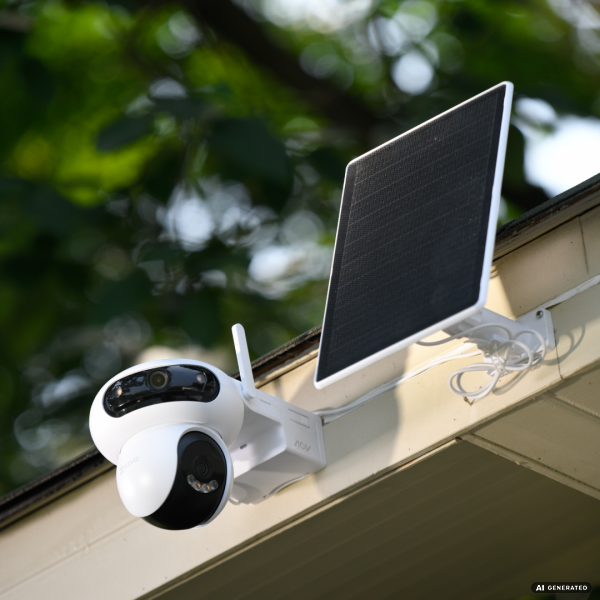
A unified mobile app provides a centralized interface to manage compatible visual cameras, smart locks, intercoms, and sensors.
For stand-alone homes and estate properties with heavy driveway gates (up to 600 kg), standard motors often face range and power reliability challenges. The HG2 600 provides an integrated access solution with three key advantages:
Once you have chosen the appropriate locking hardware for your entry threshold, follow these essential mechanical installation steps to ensure smooth daily operation:
| Property Type | Recommended Hardware Matrix | Key Operational Benefit |
|---|---|---|
| High-Rise Apartment / Rental Unit | • Wire-Free Smart Peephole • DL06 Slimline Smart Lock • Indoor Pan/Tilt Cam | A low-intrusion setup for apartments, subject to door compatibility, power requirements, and Body Corporate approval. |
| Suburban Standalone Family Home | • HP7 Video Door Phone • DL05 Fingerprint Smart Lock • HG2 600 Sliding Gate Opener | Dedicated indoor touchscreen monitor for gate/intercom integration, combined with robust keyless entry and motorized driveway perimeter control. |
| Large Property | • EP3X Pro Dual-Lens Doorbell • Y2000 Smart Handle Lock • HB8 Lite 4G Kit | Dual-lens doorway awareness, robust 7-in-1 keyless entry, and cellular 4G connectivity options for perimeter points beyond standard Wi-Fi range. |
Yes. Standard solid wooden front doors with a thickness between 30 mm and 110 mm are fully compatible with mortise smart lock models such as the DL05 fingerprint smart lock. A qualified locksmith or professional technician handling home security camera installation and access hardware can verify mortise cavity dimensions and complete the physical setup according to product guidelines.
Battery-powered entrance devices can continue operating during a mains power outage, although app-based remote functions may depend on the availability of Wi-Fi, internet connectivity, and other powered network equipment. Smart locks remain accessible via local fingerprints, keypads, or emergency physical keys, while compatible solar panels can help recharge supported battery cameras during suitable daylight conditions.
It depends on whether you have an outer pedestrian gate or driveway motor. For standard doorway entrances, a wireless doorbell security camera is often the most practical and flexible choice. However, for suburban homes that require direct gate release from inside the living room, a dedicated HP7 video door phone system is superior because its 7-inch indoor touchscreen answers calls and triggers gate releases directly without needing a mobile phone.
Compatible EZVIZ cameras and video doorbells may support local storage through MicroSD cards or built-in storage, depending on the model. Supported devices allow high-capacity local video recording and event playback with zero recurring monthly subscription fees.


